
User Manual
SRM System User Guide
User Manual
Complete guide to using the SRM (Supplier Relationship Management) system
1. Getting Started
Welcome to the SRM system! This guide will help you navigate and use all features of the Supplier Relationship Management platform for HAL, Koraput.
The SRM system helps manage the relationship between HAL and its suppliers, handling purchase orders, dispatch advice, receipts, and payments.
2. Logging In
Access the SRM system by logging in with your credentials.
Login Steps:
- Navigate to the SRM website
- Click the "Access Dashboard" button on the homepage
- Enter your vendor ID and password
- Click "Log In" to access your dashboard
Note: If you don't have login credentials, contact HAL Koraput.
3. Dashboard Overview
After logging in, you'll be taken to your dashboard where you can access all system features.
Main navigation and quick access to key functions
Navigation Menu:
- Orders: View and manage purchase orders
- Materials Received: Track dispatch advice
- Parts Sent to HAL: Monitor receipt reports
Quick Actions:
- View pending tasks
- Check recent activities
- Access profile settings
4. Purchase Orders
Manage blanket purchase orders and track order details.
How to access and review purchase order information
Accessing PO List
From the dashboard, click "Orders" in the navigation menu
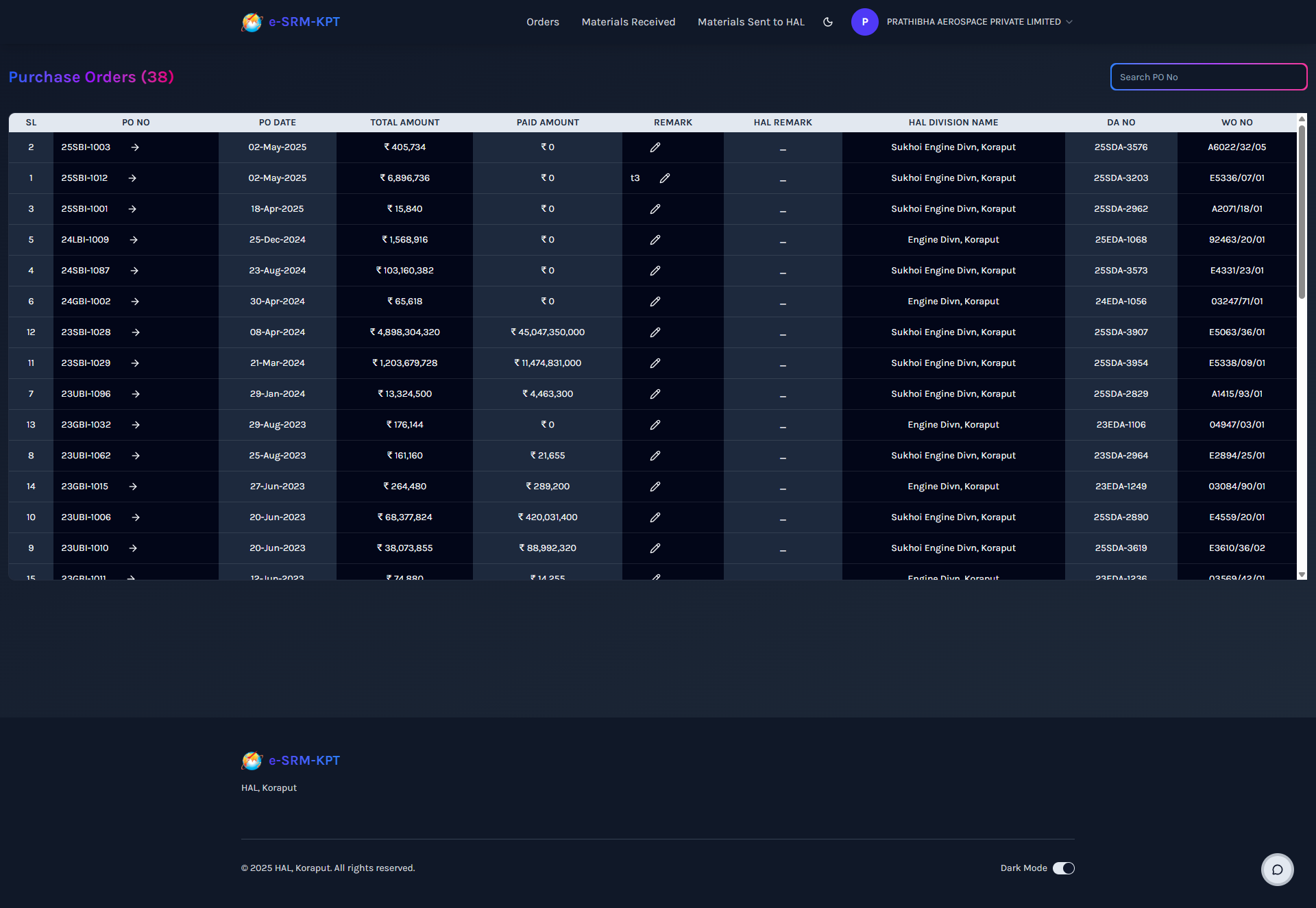
The page will display a list of all purchase orders
Use filters to search by PO number, supplier, or date
Viewing PO Details
Click on any PO number to view detailed information
Review quantities, delivery schedules, and supplier information
5. Dispatch Advice
Track material dispatch and delivery schedules.
Monitor delivery schedules and material status
Viewing DA List
Navigate to "Materials Received" from the main menu
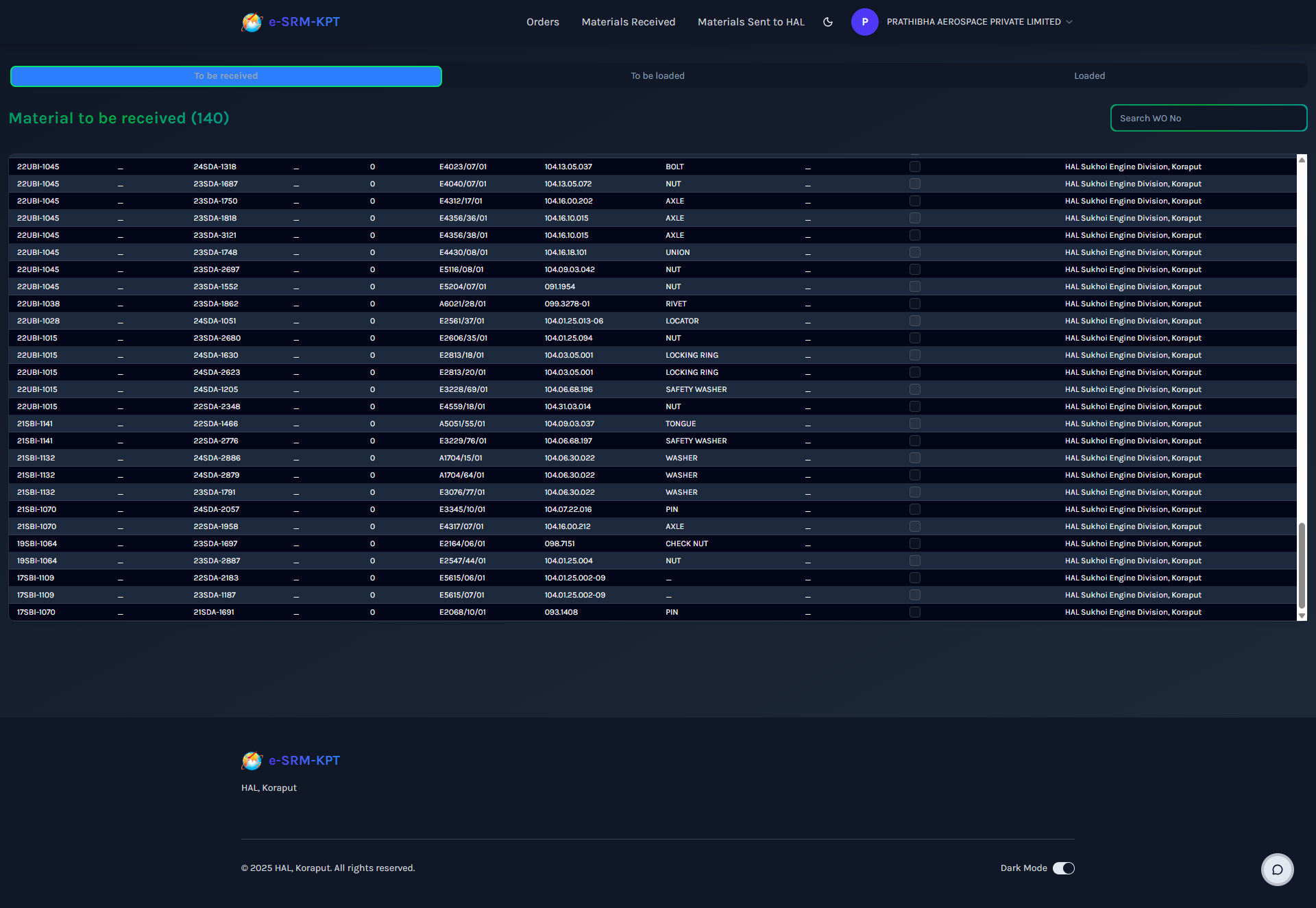
View all dispatch advice records
Tracking Delivery Status
Check material receipt status at vendor location
Monitor loading and dispatch progress
View expected delivery dates
6. Receipt Reports
Monitor material receipts and quality inspections at HAL.
Track materials received at HAL facilities
Viewing Receipt Reports
Go to "Parts Sent to HAL" in the navigation
Review receipt reports and GR details
Quality Inspection
Check accepted, rejected, and rework quantities
Review inspection remarks and comments
7. Invoices & Payments
Track invoicing and payment information.
Monitor billing and payment status
Viewing Invoices
Access invoice details from receipt reports
Check payment amounts and dates
Track outstanding payments
8. Analytics & Reports
Generate insights and reports for better decision making.
View performance metrics and trends
Key Metrics
Order fulfillment rates
Delivery performance
Quality metrics
Payment tracking
9. Profile Management
Update your personal information and security settings.
Manage your account information
Updating Profile
Click on your profile picture/name in the top navigation
Select "My Profile" from the dropdown
Update your information and save changes
Changing Password
From the profile menu, select "Change Password"
Enter your current and new password
10. Troubleshooting
Common issues and solutions.
Frequently encountered problems and fixes
Login Problems
- Forgot Password: Contact system administrator
- Account Locked: Wait 15 minutes or contact admin
- Invalid Credentials: Double-check vendor ID and password
Performance Issues
- Slow Loading: Check internet connection
- Page Not Loading: Clear browser cache and refresh
- Data Not Updating: Refresh the page or log out and back in
Getting Help
Need Assistance?
Contact the system administrator or IT support team for
technical issues.